Here is the translation of your content into English, with the exact structure preserved:
Do you dream of appearing on the first page of Google without spending a dime? I’ll show you how to transform your site into a traffic magnet thanks to 9 simple and free techniques.
Did you know that 53% of clicks go to the top three search results? If your site remains invisible, you’re missing out on all this potential!
I show you how to use simple and free techniques to improve your Google referencing, boost your visibility, and appear at the top of the results. Ready to discover my SEO tips that are hitting the mark in 2026?
1. Content that seduces Google and your readers

According to a 2025 study by the site lesmakers.fr:
“Digital marketing specialists consider content creation as their most effective SEO tactic“.
SEO Consultant since 2016, I confirm. If there’s one thing to do to gain in Google referencing for free, it’s having a blog.
It’s the first thing you must put in place. The little bonus? Writing blog articles is free and today with AI, it’s much easier and much faster than before. To lend you a hand, here are a few prompts I use regularly on ChatGPT or even Claude.ai: 11 ChatGPT SEO prompts to rank.
Why write blog articles?
When I discuss via video call with prospects, the blog question always comes up quickly. I explain to them that the blog has three major assets:
- Content for social networks: Don’t always know what to post on your networks? Blog articles are perfect for fueling them while redirecting SEO traffic to your site.
- Added value and credibility: Maintaining a blog means offering useful information for free. This strengthens your credibility with internet users and Google, demonstrating your expertise. Result: trust sets in, whether for your readers or for Google.
- A double boost for SEO: Publishing articles attracts visitors from search engines, increasing your SEO traffic. But it’s also a powerful way to improve the natural referencing of key pages of your site thanks to effective internal linking, as I explain in point 3 of this article.
A blog is much more than just a communication tool: it’s a strategic lever for your online visibility! The blog is the best technique for free Google referencing!
How to write blog articles properly?
Explaining how to write well for search engines would be way too long here. So I’m going to redirect you to an article dedicated to the subject and give you a little tip:
Personally, I discovered that the articles that perform best are those that provide concrete and immediate solutions. Take an example: a user types “.com or .fr ?“. If your content is clear, practical, and directly answers their question, Google will reward you with better positioning.
Keys to SEO-optimized content:
- Finding the right keywords: It’s the most important part but also the most complicated. Fortunately, free tools exist. My best advice if you don’t have tools? Observe Google Trends.
- Structuring your articles: Nothing worse than an indigestible block of text! Organize your ideas with headings (H1, H2) and bullet lists. This helps your readers… and Google, which uses this structure to better understand your content.
- Create unique and useful content: Copying content from another site? Bad idea. Google favors original articles. Take the time to provide your point of view, examples, or anecdotes. For example, I often share concrete cases of my clients in Nice who managed to position themselves thanks to quality optimized content.
- Make your pages lively: A picture is worth a thousand words, and a video is worth even more. Don’t hesitate to integrate playlists, tables, GIFs, Instagram or Facebook posts.
2. Optimize the existing: sorting and updating content
You know, I believed for a long time that content, once published, did its job forever. Well, big mistake! Let me tell you an anecdote: a few months ago, I rediscovered an article I had written on SEO for beginners. Re-reading it, I realized that it was obsolete: outdated statistics, broken links, and even a few mistakes…
Suffice to say Google wasn’t highlighting it anymore. After updating it, this article regained its place on the first page, increasing my traffic by 30% in one month!
Why optimize existing content?
The web evolves fast, and your content must follow. If your articles no longer meet internet users’ expectations or Google’s criteria, they become invisible. You lose visibility and your natural referencing suffers. Sorting and updating content are therefore powerful levers to reference your site for free while improving the quality of your blog.
Updating existing content is for me a priority strategy when I work on a client’s SEO.
How to sort effectively?
Here is my simple and effective method:
- Analyze your existing articles: Use tools like Google Analytics or Google Search Console to identify articles that no longer generate traffic. Ask yourself this question: is this article still useful and relevant for my readers?
- Update key information: Figures, links, and trends change quickly. Replace outdated data with current information, and add recent examples to make your content more attractive.
- Optimize keywords: Verify that your main keywords, like free Google referencing or improve visibility, are still well integrated. Also consider exploring new queries relevant thanks to tools like Google Keyword Planner or Google Search Console.
- Delete or combine useless content: Do you have similar or redundant articles? Combine them to create more complete and attractive content. For completely obsolete pages, consider deletion or a 301 redirect.
- Add something new!: An updated article is also an opportunity to include recent formats like videos, infographics, or even a FAQ (I love FAQs) that answers internet users’ questions.
Advantages for your SEO
74% of bloggers regularly update their old content. Updating your content is like giving a second youth to your site. Google favors active pages and regularly updated ones, which boosts your positioning in search results. And thanks to this strategy, you can improve the visibility of your pages without spending a dime.
3. Internal linking: the key to guiding Google and your visitors

I talked to you about it in point 1. Internal linking is perhaps the most powerful SEO technique you can use for free.
Have you ever looked for a document at home and never found it because it was stored in an improbable place? Well, that’s a bit what happens to Google when it explores a poorly organized site. Internal linking is the ideal way to help it easily find your important pages. And, cherry on top, it also makes life easier for your visitors.
Internal linking: what is it exactly?
Simply put, internal linking is the art of connecting your pages to each other using hyperlinks. These links allow search engines like Google to explore your site effectively and understand the relationship between your contents. For your visitors, it’s an integrated GPS that guides them directly to the information they are looking for.
Why does internal linking help so much?
You know Wikipedia? Have you also spent hours navigating from page to page because of all these links?
I usually say that a link is a recommendation. When I put a link to my article “How to be well referenced on Google?“, I recommend you click on it to visit the page. The more this page receives links, the more recommended it will be. Google works the same way. The more a page receives links (internal or external), the more SEO weight it has.
To summarize simply, you must ask yourself the following questions: what are the most important pages of my site? What are the pages whose visibility on Google I want to improve? Once you have a list, you must create a maximum of internal links towards these pages.
My method for effective linking
Here are the steps I use regularly to optimize the internal linking of my projects:
- Identify your key pages: What contents do you want to highlight? Service pages, performing blog articles, or your product pages must benefit from a maximum of internal links.
- Add relevant links in your contents: When you write a new article, ask yourself this question: “What existing content could enrich what I just wrote?”
- Use descriptive anchors: Don’t settle for writing “click here”. Prefer keyword-rich anchors, like “free website analysis”, to maximize your SEO impact.
- Ensure fluid navigation: Internal linking is also a question of user experience. If your visitors easily find what they are looking for, they will stay longer on your site. And Google loves that.
4. Boost your clicks with irresistible titles
You know as well as I do: a good title, it’s like a shop window. If it’s dull, nobody pushes the door. If it shines, everyone stops. And it’s the same on the web. Title tags are your first contact with users in search results. So, might as well make them want to click, right?
When Google explores your site, its robots analyze your pages. One of the first things they read, is your title tag. It helps not only the search engine understand the topic of your content but also your visitors to judge if your page is worth the detour. With a good title, you improve both your free Google referencing and your click-through rate.
How to create a title that attracts clicks?
- Be clear and engaging: Internet users must immediately understand what it’s about. For example, instead of “SEO Tips”, prefer “10 easy SEO tips to reference your site for free”. This gives a specific action and a promise.
- Add strategic keywords: Including your main keywords in your titles, like free Google referencing, allows aligning your content with internet users’ searches. It also helps Google position your page in the right place.
- Arouse emotion: A good title challenges. Ask a question or use terms that awaken curiosity.
- Keep them short and punchy: An effective title is between 50 and 60 characters. If it’s too long, it risks being cut off in search results. You want the whole message to be visible, don’t you?
5. Smart netlinking: directories and forums at the service of your SEO
Ah, netlinking! You’ve probably heard of this unavoidable strategy to boost your free Google referencing. But beware, not all backlinks are created equal. If you want to avoid wasting time (and potentially damaging your SEO), I will guide you to best exploit directories, forums, and even link exchange sites.
Why are backlinks so important?
Google sees every link pointing to your site as a recommendation. The more quality backlinks you accumulate, the more credible you are in the eyes of search engines. And who doesn’t like being seen well by Google?
Directories: a simple but effective strategy
Yes, in 2026, directories are still relevant, here are some tips to make the most of directories:
- Choose quality directories: Prefer well-established platforms and avoid those grouping dubious sites.
- Optimize your listing: Add a detailed description and integrate your strategic keywords.
- Favor thematic or local directories: For example, if you are in the health field, register on directories specializing in medicine or well-being.
Forums: unsuspected opportunities
Forums are often underestimated, but believe me, they can be real treasures. Imagine: you participate in a discussion on a forum where users are looking for a solution to a problem your site solves. A well-placed link in a relevant comment can attract targeted traffic and improve your visibility.
But be careful, do not transform forums into spam territory. Participate in discussions naturally and add a link only if it genuinely adds value.
Link exchange sites: a delicate game
They can be very effective if managed well, but be careful not to fall into the trap of massive and automated exchanges. Here’s how to benefit from them without risking penalties:
- Work with trusted sites: Only make exchanges with serious and relevant sites regarding your theme.
- Avoid obvious reciprocal links: Prefer triangular exchanges, where Site A points to Site B, and Site B points to Site C. This seems more natural for search engines.
- Be selective: Quality over quantity. A link from a respected site is better than ten dubious links.
Here are a few websites I’ve already used: DealerDeTemps and Netlinkdeal.
6. Google My Business: your ally for free local referencing

A few years ago, a client told me: “Florian, I don’t need Google My Business, everyone already knows me in the neighborhood.” Result? He was completely missing out on potential clients searching for his services online. After configuring his Google My Business listing, his phone wouldn’t stop ringing. That is the magic of local referencing!
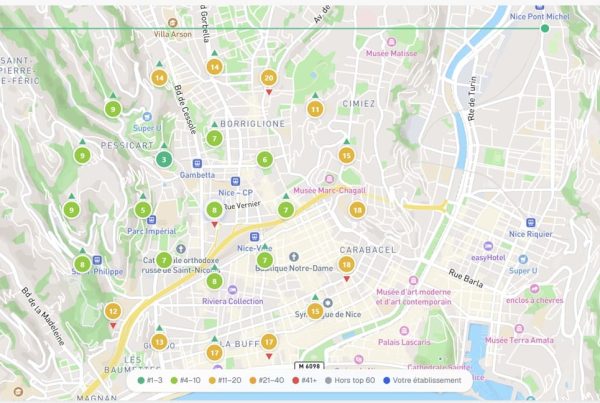
If you have a local business, Google My Business is your best friend to appear on Google for free. Imagine a user types “bakery near me” or “hairdresser in Nice”. A well-optimized listing puts you directly at the top of local results, on Google Maps or in the famous “local pack”.
And that’s not all! A well-informed listing also improves your credibility. It’s a bit like a digital business card, accessible at any time.
My tips for optimizing your Google My Business listing:
- Complete all information
- Publish quality photos
- Encourage customer reviews
- Add regular posts
- Use advanced features
Did you know? Even if you don’t have a physical business, you can create a Google My Business account in your city. You’ll need to add a “service area”.
7. Multichannel and branding: amplify your SEO visibility
Not so long ago, I worked with a company that had an impeccable website but was receiving almost no traffic. Why? Because they bet everything on a single channel: SEO. What if I told you you could multiply your results by adopting a multichannel approach? The idea is simple: don’t put all your eggs in one basket and strengthen your presence on several platforms for maximum impact.
Imagine you are an internet user looking for a solution. You search on Google, but also on social media, YouTube, or even in your emails. By diversifying your presence, you increase your chances of being visible at each step of the user’s journey. And what’s great is that this strategy supports your free Google referencing by creating a coherent ecosystem around your brand.
By adopting a multichannel approach, you multiply the signals that strengthen your credibility with Google. The more your content is shared and visible, the more it generates backlinks, qualified traffic, and interactions. All of this contributes to improving your natural referencing and strengthening your online presence.
The little personal tip: Put branding at the heart of your strategy. Branding, is what makes you memorable. Choose a color palette, tone, and visual style consistent across all your channels. Internet users must be able to recognize you at a glance, whether on Google or Instagram.
8. Reviews everywhere: the underestimated referencing lever
One day, a client said to me: “Reviews? That’s just to reassure people, right?” What if I told you reviews play a much more important role in your free Google referencing strategy? Yes, online reviews aren’t limited to a simple reputation issue. They also directly influence your visibility in search results.
Online reviews are like modern recommendations. Not only do they reassure your potential customers, but they also send strong signals to Google. Search engines love active businesses with regular interactions, and reviews show that your site and activity are alive.
Imagine looking for a restaurant on Google. Will you choose the one with an average rating of 4.8 stars and 150 reviews or the one with a rating of 3.2 and 5 reviews? The impact is immediate, isn’t it?
Where to collect reviews?
The mistake would be to limit yourself to a single platform. Here are some strategic places where reviews can boost your referencing:
- Google My Business: The base for any local business. These reviews directly impact your position in local results and on Google Maps.
- Facebook Pages: Users love sharing their experiences on social media.
- Specialized sites: Yelp, Trustpilot or platforms specific to your sector.
- E-commerce: If you sell online, reviews on your product pages play a major role in conversion.
9. Search Console: keep an eye on your referencing
If I had to choose only one free tool to track my site’s status on Google, it would be Google Search Console without hesitation. Why? Because it gives you a clear and precise overview of your free Google referencing. And believe me, it’s much simpler than it looks, even if, at first, it can seem intimidating.
This tool shows you which pages are properly indexed, which ones encounter problems, and how Google perceives your content.
Monitor indexing with the sitemap filter
Here is a feature I use systematically to optimize my sites: tracking indexing from the sitemap. Why is this so important?
- The sitemap is like a roadmap you send to Google to indicate all the important pages of your site.
- With Search Console, you can check if Google has properly crawled and indexed these pages.
How to proceed?
- Add your sitemap to Search Console: Go to the Sitemaps tab and submit your file URL (often something like www.mysite.com/sitemap.xml).
- Monitor indexing with filters: Once your sitemap is submitted, go to the Indexing – Pages tab. Filter results to see only pages included in your sitemap. This allows you to quickly verify if important pages are forgotten or encounter errors.
- Analyze errors and warnings: If a page is not indexed, Search Console will tell you why: a 404 error, a duplicate content issue, or a forgotten “noindex” tag.
- Correct and recrawl: Once problems are corrected, ask Google to recrawl your pages via the URL Inspection tool.
Google Search Console isn’t just a monitoring tool. It’s a real goldmine to adjust your SEO strategy. And all this, without spending a dime.
In short
You are now armed with 9 formidable techniques to boost your free Google referencing. By combining strategic writing, smart internal linking, well-placed customer reviews, and tools like Google My Business and Search Console, you have all the cards in hand to improve your site’s visibility.
Need to go even further or personalized support? As an SEO consultant, I help you implement strategies tailored to your goals to maximize your results. Let’s talk about your project and propel your site to the top of searches! Contact me today.